
Copy here. Paste there. In about a second.
Instantly sync your clipboard between your Windows PC and Android phone over your private local Wi-Fi. No cloud middleman, no account signups, zero subscriptions, and no telemetry.
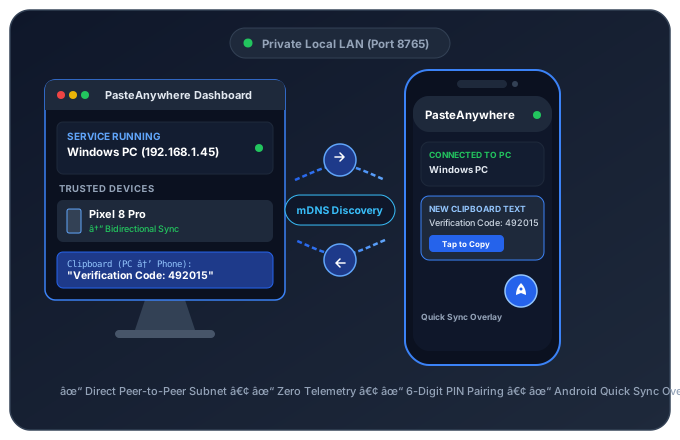
Simple & Transparent
How PasteAnywhere Works
Three simple steps to establish a permanent, secure local pairing between your PC and phone.
Join Same Local Wi-Fi
Connect your PC and phone to the same private Wi-Fi network. PasteAnywhere automatically discovers your PC on the local network, with instant manual IP entry as a fallback.
Pair with 6-Digit PIN or QR
Pairing requires physical confirmation. Tap Pair Device on your phone and enter the temporary 6-digit PIN displayed on your PC, or scan the desktop QR code.
Copy & Paste Freely
Copy on your PC to trigger an instant phone notification you can tap to paste. On Android, tap the floating Quick Sync rocket button to send copied text straight to your PC clipboard.
Modern Android security strictly blocks background apps from silently altering your clipboard. When your PC sends text, PasteAnywhere displays a system notification that you tap to accept. For sending text from your phone to PC, the optional Quick Sync floating overlay lets you send text with one tap from any app.
Engineered For Reliability
Built For Focus & Speed
A purposeful utility designed to do one job reliably, with zero overhead and full local privacy.
Bi-Directional Synchronization
Instantly forward text from PC to phone via notification, or send from phone to PC with a single tap. Supports plain text, Unicode, and emojis up to 256 KB.
Quick Sync Floating Rocket
An unobtrusive floating button on Android that hovers over any app. Tap the rocket icon anytime to immediately dispatch your latest copied text to your PC.
Token-Authenticated Pairing
Physical confirmation pairing generates a 32-byte cryptographic Bearer token. Unpaired devices on your network cannot access or inject into your clipboard.
Automated Log Sanitization
Local diagnostic logs automatically redact authentication tokens, PINs, and clipboard payloads. Clipboard text is never written to disk logs.
Crash-Safe Storage
Device configurations and pairing tokens use atomic file writes with synchronized .bak backups to keep pairings reliable across unexpected PC shutdowns.
Self-Contained Windows Setup
Built as a standalone x64 executable on .NET 10. No separate runtime installation required. Minimizes silently to your System Tray with optional Windows startup.
Per-Device Directional Sync Control
From the Windows Dashboard, customize the synchronization policy for each paired phone individually:
PC clipboard forwards to phone, and phone clipboard dispatches to PC.
Only copies made on your PC are sent to your phone. Phone copies are ignored.
Only phone dispatches reach your PC. PC copies are not forwarded.
Temporarily pauses all clipboard sharing while preserving the secure pairing credentials.
Intuitive & Unobtrusive
Designed for Everyday Focus
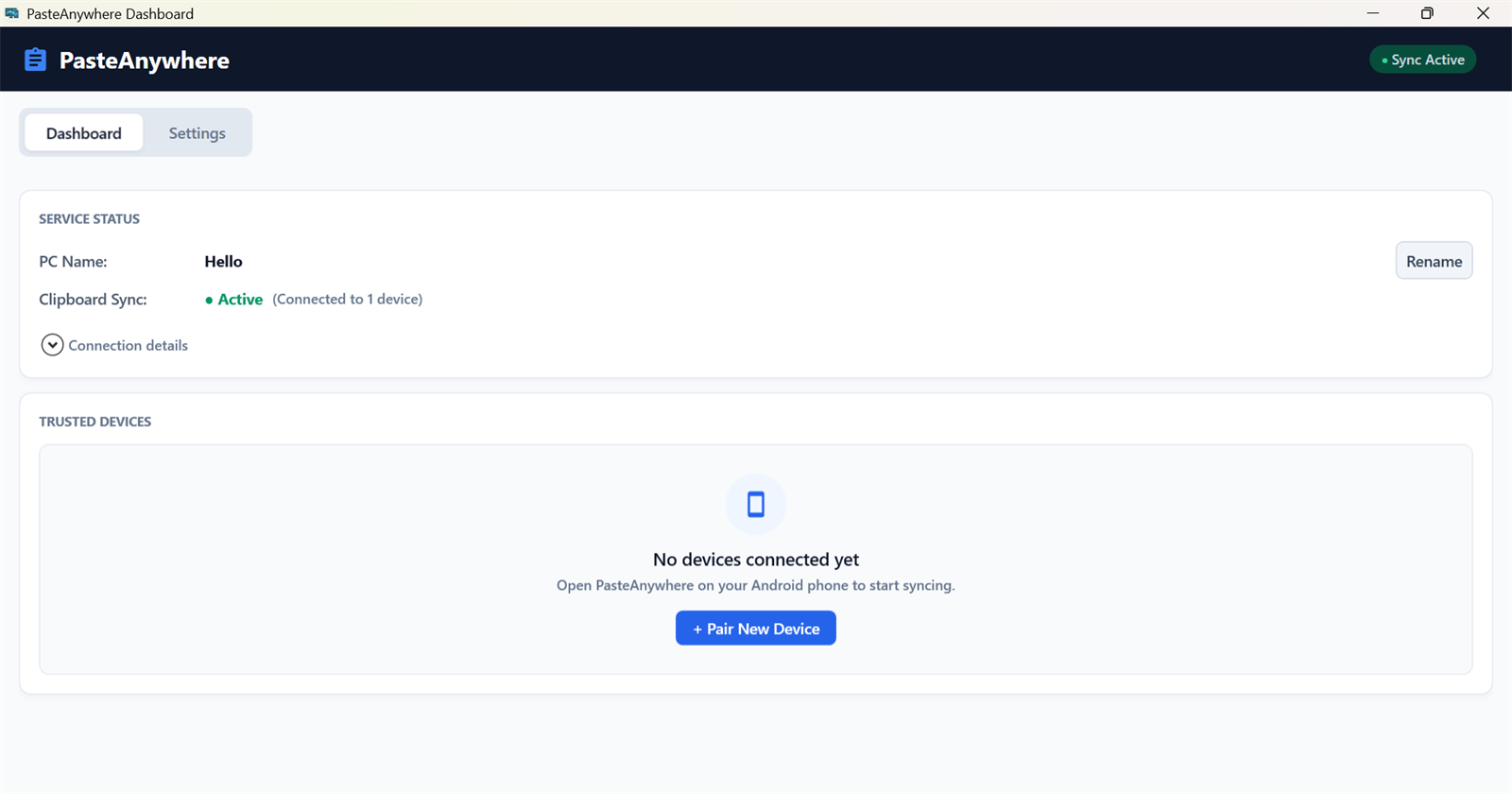
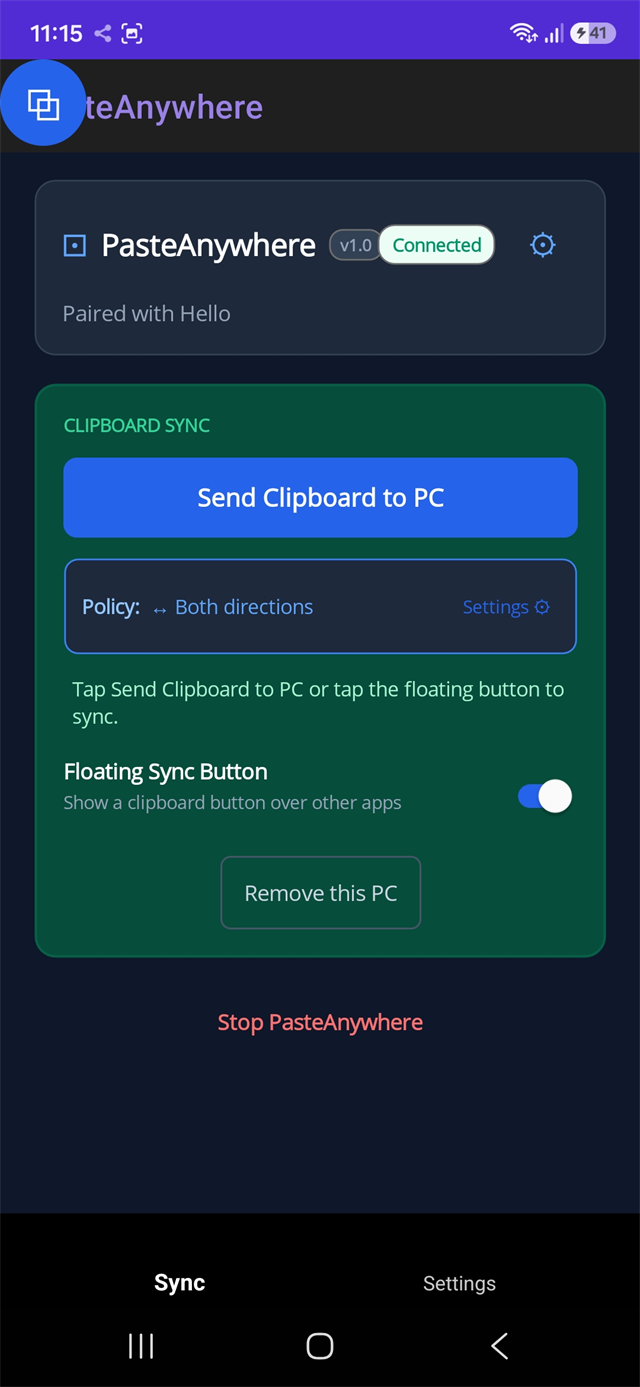
A clean desktop control center on Windows, paired with a lightweight native companion on Android.
Got Questions?
Frequently Asked Questions
Everything you need to know about PasteAnywhere's local network model, platforms, and permissions.